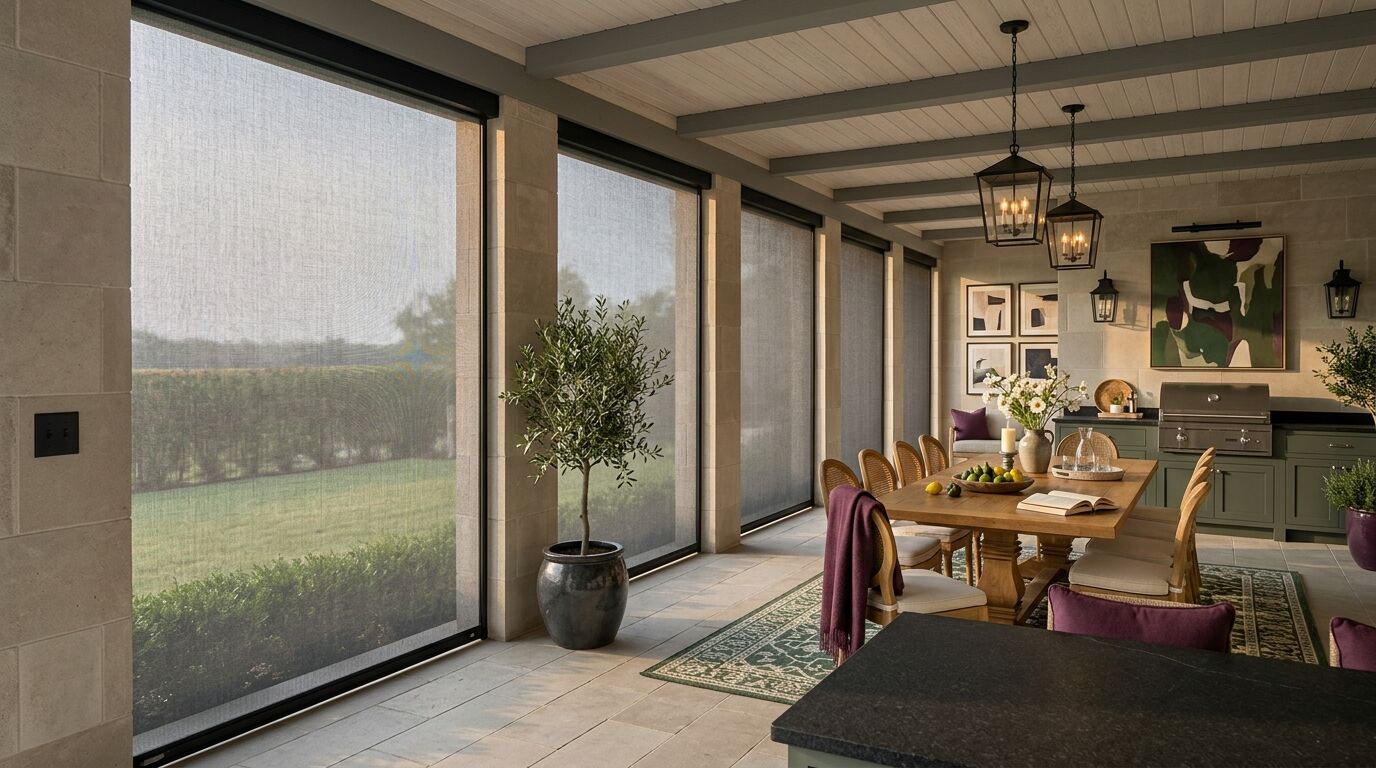
Almost every conversation about exterior screens is about fabric and tracks. Very little of it is about the part you touch every day, which is whatever tells the screen to come down. That part decides whether the patio gets used. A remote that lives in a kitchen drawer makes lowering a screen a small errand you do twice a month when you remember. A switch on the column beside the back door makes it something you hit on the way out with a tray in your hands.
- There are five ways to move an exterior screen: a handheld remote, a wall switch, a phone app, a voice assistant, and an automatic sensor. Most patios end up using two of them.
- The wall switch by the door is the one that gets used daily. Everything else supplements it.
- Screen remotes work on radio, not infrared, so you do not need to point them at anything.
- App and voice control need a bridge indoors that translates the motor's radio signal onto your home network. The motors do not speak wifi on their own.
- Voice is good for all the way down and all the way up. It is poor at stopping a screen halfway.
- A sun sensor lowers screens on brightness. A wind sensor retracts them on gusts. The wind sensor is the one worth having.
- A sun sensor without a wind sensor can send a screen down into a gusty afternoon on its own.
- Any automatic behaviour needs an obvious manual override, or people stop trusting it.
- Hardwired motors want a circuit run to the header. Battery and solar motors do not.
- On new construction, settle switch locations and the bridge location while the ceiling is still open.
The Five Ways to Move a Screen
Every system on the market gives you some mix of the same five. Worth knowing what each one is actually good at.
A handheld remote is the default that comes in the box. It is small, it is battery powered, and it talks to the motor over a short range radio band rather than infrared, so you can press it from a chair with your back to the screen or from inside the kitchen. It usually gets lost.
A wall switch is a rocker or a keypad fixed to a column, a wall or the brick beside the door. On most systems these are wireless and battery powered, which means they stick where you want them rather than where an electrician can reach.
A phone app is the one people assume they will use most and use least. Where it earns its place is setting schedules and checking on the patio when you are not home.
Voice, through Alexa or Google Home, is genuinely useful for the two extremes. Down and up. Asking a speaker to put the west bay at sixty percent is more work than walking to the switch.
A sensor takes the decision away from you entirely, which is either the best feature on the patio or the most irritating, depending on how it was set up.
Why the Wall Switch Wins
If a family uses their screens every evening, it is almost always because there is a switch somewhere obvious. Friction decides this, not features.
Put the control at the door you actually use. On most of these houses that is the one off the kitchen or the breakfast room, not the formal set of doors in the great room. Mount it at normal switch height, and if there is an existing bank of light switches inside that door, put it next to them so it reads as part of the house rather than an accessory.
Because most wall controls are wireless, placement stops being an electrical question and becomes a design one. A slim plate on the face of a stone column looks deliberate. A plate stuck on the brick two feet from the door, at a height nobody chose, does not.
On a long run it is worth having a second control at the seating end, so nobody has to walk the length of the patio to drop one bay.
Channels and Groups: Getting Five Bays to Behave
A channel is just an address. A remote or a switch sends on a channel, and every motor listening to that channel moves. One channel can hold one screen or a whole group.
The usual setup on a multi-bay patio is a channel for each bay, plus one channel that moves everything at once. That covers most of what you want.
Where it goes wrong is grouping by position instead of by job. Bays get numbered left to right at the order and programmed that way, and then in practice nobody ever wants bays one and two together. What they want is the west face down at five in the afternoon, and the bays around the table down at dusk in June. Group by exposure and by use.
If different bays carry different fabric, and on most patios they should, then the grouping follows the fabric. A low-openness solar mesh on the sun face has a different schedule from insect screening around the dining table. There is more on choosing between them in the post on screen fabric versus solid panels.
Ask for all of this to be set at commissioning, on the day the installer is standing on your patio. It is a ten minute job then.
What the Bridge Actually Does
This is the part that confuses people, so here is the plain version.
Screen motors talk on a low power radio band. They do that because radio of that kind reaches through stone and brick on very little power, which matters when the motor is inside a housing on an outside wall. They do not connect to your wifi directly.
A bridge, sometimes called a hub or a gateway, is a small box that sits indoors on your network and speaks both languages. It hears your app or your voice assistant over wifi, and it repeats the command out on the radio band the motors listen to. No bridge, no app and no voice.
Two practical consequences. First, the bridge has to sit within radio range of the patio motors. On a wide single-story house, the media closet at the far end of the plan is the wrong place for it, and that is worth raising at the measure rather than on install day. Second, every command from a speaker travels out to the internet and back before it reaches the bridge, which is why there is a pause between asking and moving. That pause is normal and it is not a fault in the screen.
The bridge also means an account and an app to keep current. Small thing, but it is the piece most likely to need attention in five years, and it is a piece that can be swapped without touching the screens.
Sun and Wind Sensors
A sun sensor measures brightness at the patio itself and lowers the screens when the light crosses a set level, then raises them when it drops back. On a west-facing outdoor room where nobody is home at four in the afternoon, that is a real benefit, because the paving and the cushions never get a chance to load up with heat. Set the threshold badly and it fidgets, dropping and lifting every time a cloud crosses. Most sensors have a delay setting for exactly that reason, and it should be tuned on your patio, not left at the factory value.
A wind sensor is the one that earns its keep. Two mechanisms are common. Some use an anemometer mounted on the structure, which measures actual wind speed. Others mount a small motion sensor on the bottom bar of the screen and react to the bar starting to move. Either way, once the reading crosses the threshold set at installation, the screen retracts on its own, and most systems then lock out lowering for a set period so it does not immediately go back down into the same gust.
That threshold is set against your exposure, your orientation and the span of the bay. A wide bay on an open lot behaves differently from a narrow one tucked behind a garage wing, so this is a commissioning decision rather than a number off a chart.
Two honest limits. A wind sensor is protection while you are out, and it is not a reason to leave the screens down through a storm. Hail and flying debris are a different problem from wind load, and the sensible habit is to retract them yourself when you can see weather coming. And a sun sensor fitted without a wind sensor is a poor combination, because on a bright, blustery spring afternoon the sun sensor will happily send the fabric down into conditions you would not have chosen.
The engineering that lets these systems stay down in real wind in the first place is a separate subject, and it is covered in the post on wind resistant patio screens in Texas.
Schedules People Actually Keep
Schedules are easy to set and easy to resent. A simple rule sorts the good ones from the bad.
Automate what you would otherwise forget. Raising the screens in the morning is the classic case, because nobody minds a patio opening itself up at eight and everyone forgets to do it. A sunset close on the sun face through July and August is the other one that sticks, since it does its work while the house is empty.
Keep manual anything you would want an opinion about. A screen coming down while you are sitting under it, for reasons you cannot reconstruct, is how people end up switching the whole system off.
Whatever you automate, there has to be an override you can reach without a phone. A press on the wall switch should stop or reverse whatever the schedule just started. If the only way to argue with the patio is to open an app and find the right screen, the schedules will be deleted within a month.
Power Decides Part of This
The control question and the power question get tangled together, so it helps to separate them. Wall switches and remotes are radio devices running on their own small batteries either way. Power is about the motor.
A hardwired motor takes line voltage at the header. Exterior screens are wide and the fabric is heavy, and a hardwired motor gives steady torque across a long span without worrying about charge state. The cost is a circuit run out to the header, which is inexpensive while the ceiling is open and awkward afterwards. A hardwired motor also stops in a power cut unless there is a backup.
A rechargeable battery motor needs no wiring, which is what makes it the usual answer on a patio that already exists. The trade is maintenance. An exterior screen is much larger than an interior shade, so each cycle draws more, and a screen you run twice a day in August will want charging more often than a bedroom roller ever does.
A solar trickle charger, a slim panel on the housing that keeps the battery topped up, works well where the housing gets real daylight. Under a deep patio roof on a north-facing elevation, or beneath mature trees, it is worth being honest about how much sun that panel will actually see. The general comparison is worked through in the post on battery versus hardwired motorized shades.
If The House Is Still Being Built
Four things are cheap while the framing is open and annoying later. A circuit at the header for hardwired motors. A conduit up the column if a control is going on a stone face. A box beside the back door for the switch. And a decision about where the bridge lives, with power and network at that spot.
None of that requires knowing which fabric you want yet. It only requires knowing where you will sit, which door you will come out of, and which way the afternoon sun arrives. That conversation is easier to have in the framing stage than at trim out.
What Gets Sorted Out on Your Patio
Which controls go where is a fifteen minute conversation standing on the actual patio. Where the switch wants to be. How many channels you will really use. Whether a sun sensor is worth it on your orientation or whether a wind sensor on its own covers you. Where the bridge can sit and still reach the far bay.
Sheila comes out and works through it with you, measures the bays herself, and the installation and commissioning are handled by our installers, including the channel grouping and the sensor thresholds. You can read more about how these systems are built on the outdoor roller shades page, and book a free in-home consultation through the contact page or by calling or texting. No charge, no obligation.
See it in your own light.
Every room measures differently. Sheila comes to your home, looks at your actual windows and light, and helps you choose what fits. No showroom pressure, no obligation.
Book a free consultationProduct options, pricing and lead times vary by manufacturer and by window. Details here are general guidance — your in-home consultation is where we confirm what actually fits your home.